We remain fully operational. Our teams are working around the clock to ensure your deliveries continue safely.

Descargar la aplicación


Servicios al cliente
Sobre nosotros
Copyright © 2025 Desertcart Holdings Limited
Descargar la aplicación



Buy anything from 5,000+ international stores. One checkout price. No surprise fees. Join 2M+ shoppers on Desertcart.
Desertcart purchases this item on your behalf and handles shipping, customs, and support to Nicaragua.
📼 Preserve the past, power your future—digitize your memories today!
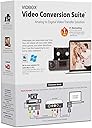
VIDBOX Video Conversion Suite is a professional-grade USB capture device compatible with both Windows and Mac, designed to convert and preserve old VHS, Betamax, 8mm, and camcorder tapes into digital formats like MP4 and DVD. Featuring easy-to-follow pictorial guides, auto-stop recording, and preview playback, it empowers users to effortlessly save priceless home videos before they deteriorate. Ideal for millennials seeking to safeguard family legacies with modern tech, VIDBOX combines universal tape support with seamless software updates to keep your memories alive.


| ASIN | B00ND0E7FS |
| Best Sellers Rank | #268 in Video Converters |
| Customer Reviews | 4.4 4.4 out of 5 stars (1,911) |
| Date First Available | September 10, 2014 |
| Is Discontinued By Manufacturer | No |
| Item model number | VCS2M |
| Manufacturer | VIDBOX Inc |
| Manufacturer recommended age | 7 years and up |
| Our Recommended age | 5 - 20 years |
| Product Dimensions | 5.38 x 2.13 x 7.5 inches; 0.16 ounces |
E**B
Works Great and easy to install and use
Works great. It has been used digitizing old VHS tapes, home recorded DVD's, and small sony M60 tapes from camcorder. Newest MacOS Tahoe required a few retrys on install, but directions were clear enough to get past that. You can set the time of recording and it will auto stop or just set to 5+ hrs and also can manually stop. Preview screen allows you to see/hear playback without having a separate monitor setup and determine if old VHS heads need cleaning.
W**R
Hands down, this worked AWESOME!
Very user friendly, amazing results, this has been the best VHS transfer to Windows 11 PC that I have ever tried. If your looking for quality from your VHS tapes, hands down, this is the best!
Y**O
Works on Mac.
Been meaning to get a device to archive all my old DV stuff for ages. Now I can, and now I have. Plug and play is fairly idiot proof. To be honest, I was amazed at how easily it worked. The software that you download (and register with a code) from their site is quite intuitive. Basically, you select your source and then you can preview the footage with a small window (double click to go full screen!) and then you can choose the length of the clip, or even just choose a start and stop point. The files get saved to a folder on your computer and then you can watch them with ease. I have not even needed to bring these into an editing program but I imagine it is very easy to do so; at the most you will need to convert the clips to a file that is readable by your editing software. In these modern times where everyone just digitizes and clouds stuff, physical media is nearly obsolete. So much to the point where I had to buy a power adapter for my DVCam deck, no idea where the original one got to. Though I have a fair amount of "finished projects" backed up in digital form, there were still some missing pieces on the tapes in the box. I now have the ability, if I chose, to dump ALL the footage onto external hard drive storage. The original footage is only DV so it takes up very little space. The price is a little high for a really small little device, but all those shoe box memories are priceless, right? If you're like me and haven't watched those old VHS or DV tapes in years, this is a nice stroll down memory lane. Consider the price it would cost to get these "professionally transferred" ...you'll be saving hundreds! Even with no computer savviness and even if you have to buy some old equipment to make it work, it is totally worth it. You get a lot more satisfaction (and privacy ;-)) doing it yourself.
J**S
Pretty Good but ....
OK - The hardware hookup is easy as is the download. When loading the software on my Mac, it asked about the camera and microphone. I said "No" because I thought it might record noises and video in the room. Recording the video worked, but there was no audio. It turns out I have to say "Yes" for both the camera and microphone. Then it all worked. The registration was a bit clumsy. The name on the order and the box didn't match the name on the registration site. After a couple "not valid" errors, I finally got it right. As for the recording, the audio is very good, the B&W is pretty good, but the the color is inconsistent. For instance, skin color might blend from flesh to purple to blue to red to yellow, etc. To be clear it's not horrible but the color is not great. For something that has nothing do do with this product - - One recording was too long (2 hrs 40 min) to record on a DVD. Because it was 4.9GB, I just thought the MP4 file was too big. I changed it to MOV. Yeah 3.9GB but it still didn't work. I thought maybe my burning program couldn't handle MOV. I got a compression app and reduced the MP4 to about 4.0GB. It still wouldn't burn, so I decided it must be the video length that gave me grief. I split the video into two portions and recorded the two videos on two DVDs with success. Just so you all know ...
M**M
Works as expected
I pulled the vidbox converter out of the packaging and plugged it all in to my VCR and windows 11 laptop and it worked like a charm with the vidbox software that I downloaded from their website. I was a little bit confused as to which software to download but realized that there was a software package with a name that matched the name directly above the license key in my paperwork, "Video Conversion for PC", and I downloaded that software, put in the license key and started using easy mode but I wasn't happy with the graininess of the footage. At the end of the Easy capture it asked me if I wanted to convert it to MP4 so I did and the file size went down considerably. When I plugged the VCR directly into my 65" Sony 4k TV the footage was a lot cleaner than the file I got out of the vidbox, Grrrrrr! I decided to try again. This time I used the advanced mode. It wasn't a ton more complicated to use. I boosted the saturation from the default of 32 up to 40 and I reduced the default sharpness from 4 down to 0. Then I recorded in mpeg2 mode. I did not convert the file to MP4 the 2nd time and it worked. The second mistake I made came in post processing. It has nothing to do with vidbox but I thought I would share anyhow. When I turned my video clip from vidbox into a movie using the free program "Windows Movie Maker" I chose to Save the movie as "Recommended for this project" which turned out to be a low definition 480 resolution MP4. When I uploaded the movies to youtube they were super grainy. Later I used "Windows Movie Maker" again and tried saving the movie as "For High Definition Display" which produced a 1080 resolution MP4 file. This didn't show the graininess when viewed on my 65"4k TV. I was finally happy with the results when I uploaded the movies to youtube. I'm not sure using advanced mode and changing the settings for saturation and sharpness made all that much difference. I'm pretty sure the most important steps were (1) don't convert your vidbox file to be an MP4 and (2) save your finished movies as HD files before publishing to youtube. The vidbox case itself feels a little bit tinny. The circuit card is a bit loose in the vidbox tool. Didn't seem to cause any issues though. I would buy vidbox again. FYI, I did not get a discount for writing this review. I'm just a guy that had some VHS tapes to convert to digital.
T**I
Funktioniert einwandfrei
G**O
Assolutamente l'antitesi di ergonomia , rapporto qualità prezzo PESSIMO, facesse almeno il suo lavoro . . . La scatola arriva tutta impacchettata fieramente , dotata di cavo RCA maschio-maschio (cortissimo) e 2 dischetti per il software ( per MAC e per WIN(zoz)) , software che è totalmente puzzolente , non fa nulla di speciale solo la conversione da MPEG a MP4 (e ovviamente il cattura schermo) , e per giunta non ti permette di editare il video in alcun modo, roba imbarazzante . . . Il vero fetore viene emanato dall'instabilità del software , dopo qualche ora di utilizzo "impeccabile" sparisce misteriosamente l'input video che si trasforma in uno schermo nero, chiudere il programma ,riavviare il computer ,resettare la cache e reinstallare il programma è COMPLETAMENTE INUTILE; disperato decisi di scaricare linstaller via internet scartando l'opzione lettore CD , tutto funzionava benissimo , solo che dopo poche ore solito fetente problema . . . SCONSIGLIATO , CON 15€ FATE EOBA MIGLIORE . . . Speravo che quei 115€ si traducessero in qualità ed affidabilità , invece. . . Per antonomasia: A GREAT WAY to WASTE MONEY
K**N
This just works right out of the box. The basic capture and convert to MP4 is a no thought process. Great for quick digitising of large numbers of legacy video tapes. The advanced features take a bit more time to get right, but once you figure out what’s what, it’s pretty smooth sailing
A**U
años sin poder pasar mis VHS un poco complicado de comprender pero con chat gpt todo funcionó perfecto
G**I
quelques déboires pour l’installation logiciel qui nécessite une recherche sur internet pour compatibilité avec la dernière version iOS sur Mac. Apres cela résultats très corrects et prise en main logiciel facile. Je recommande
Trustpilot
Hace 3 semanas
Hace 1 semana