We remain fully operational. Our teams are working around the clock to ensure your deliveries continue safely.

Descargar la aplicación


Servicios al cliente
Sobre nosotros
Copyright © 2025 Desertcart Holdings Limited
Descargar la aplicación

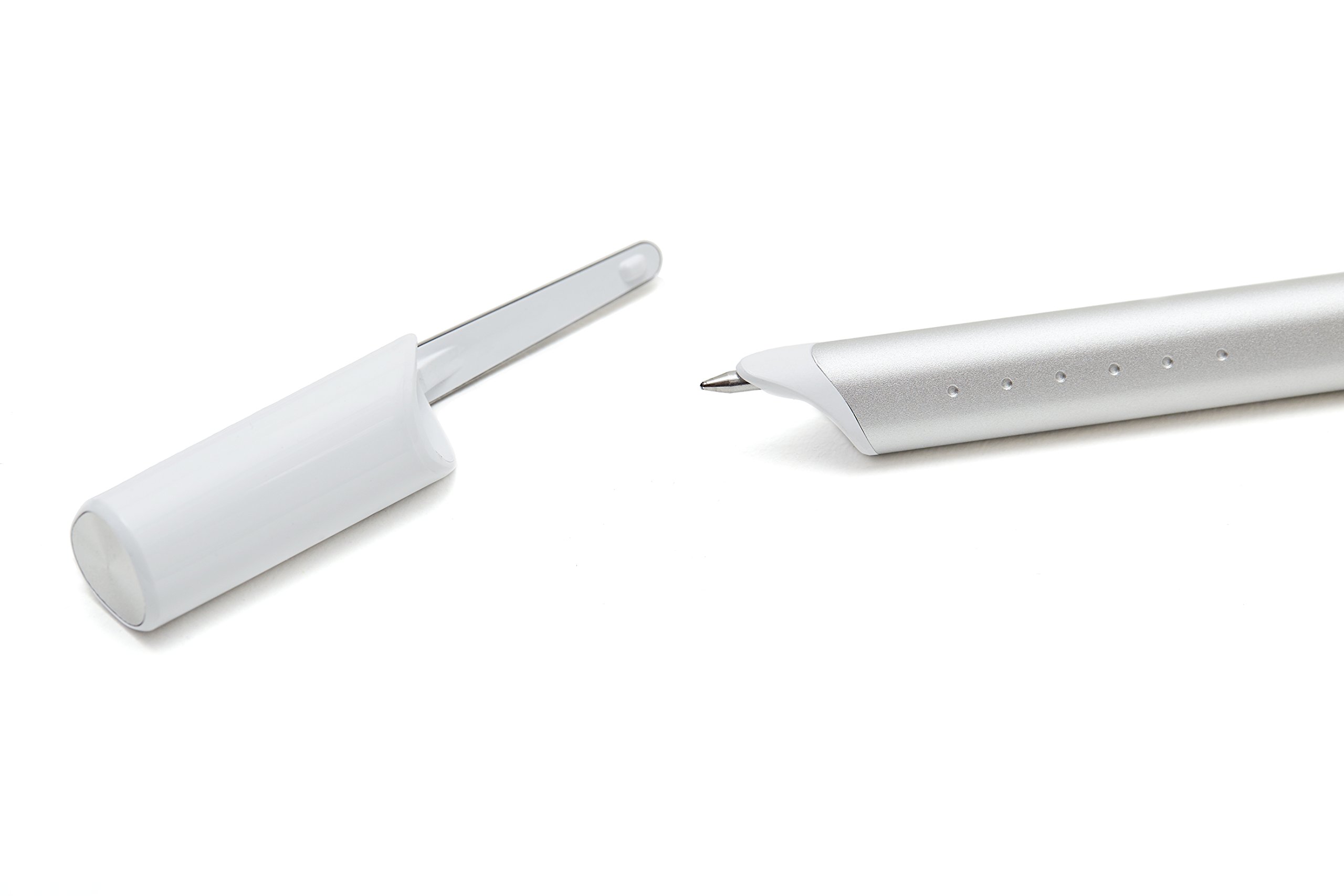


🖊️ Write Smart, Sync Smarter — Never Miss a Thought!
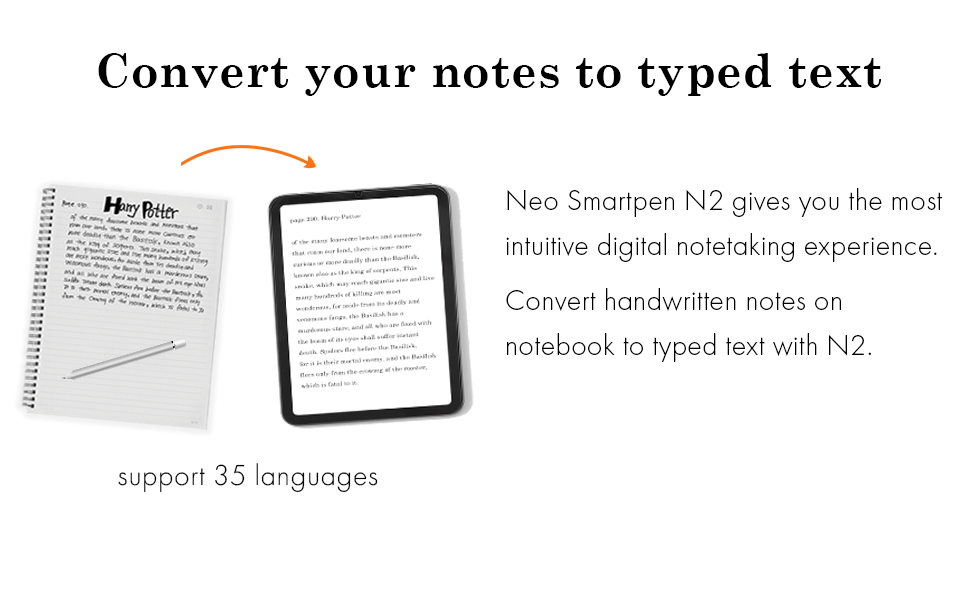
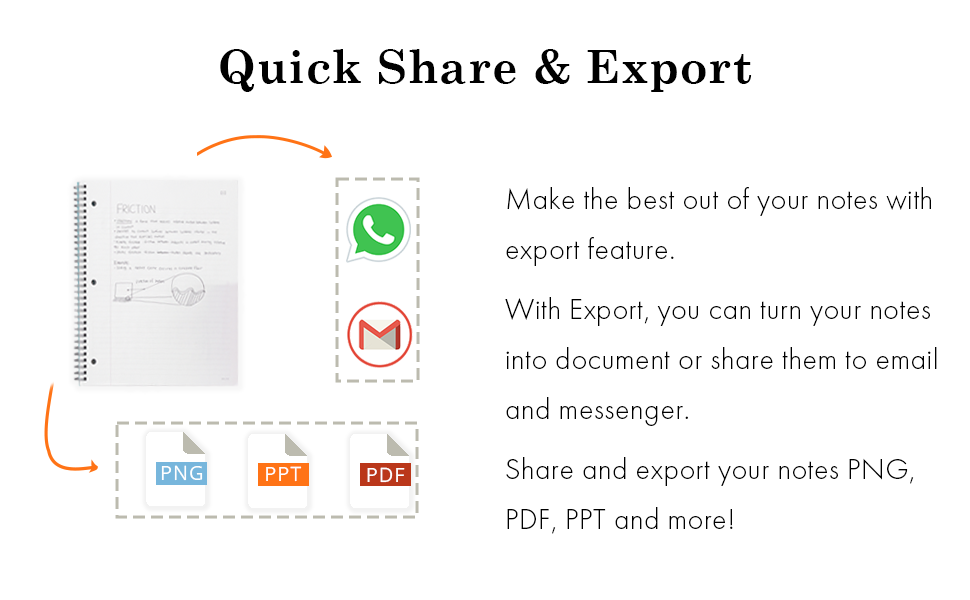
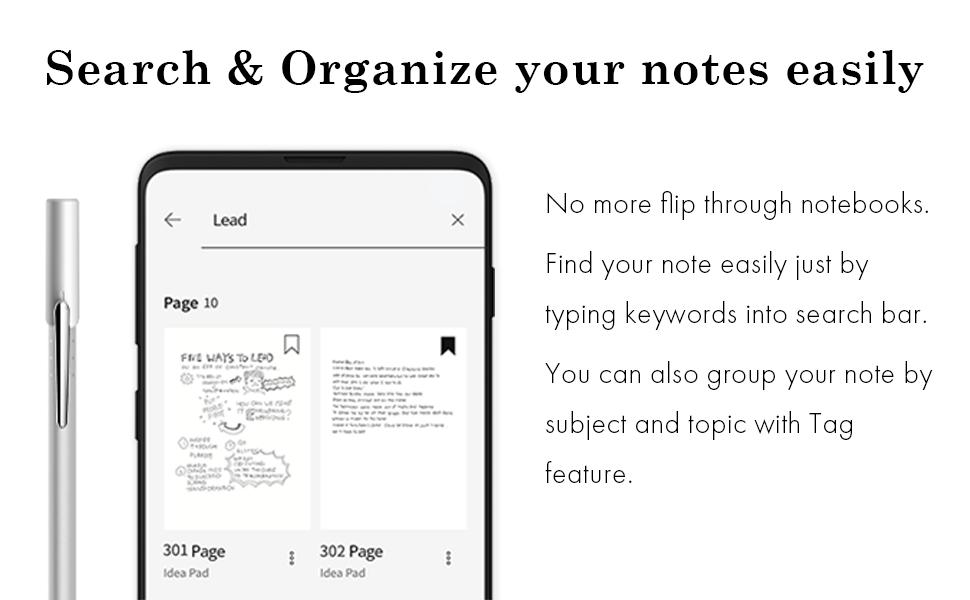
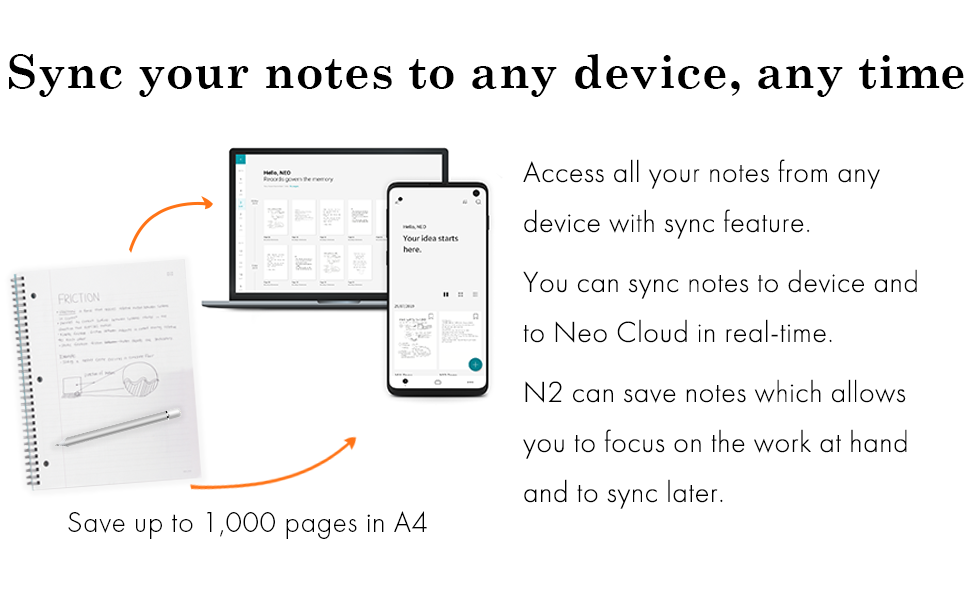
The Neo Smartpen N2 is a sleek, durable digital pen that captures your handwriting via an internal camera and syncs it seamlessly to iOS, Android, and Windows devices through Bluetooth. Featuring 128MB of internal storage for offline note-taking, a premium aluminum and stainless steel prism design, and free cloud storage via the Neo Studio app, it’s engineered for professionals who demand style, functionality, and effortless digital integration.




| ASIN | B00ST8TW9A |
| Are Batteries Included | Yes |
| Are Batteries Required | Yes |
| Battery Average Life Standby | 3000 Hours |
| Battery Description | Lithium |
| Brand | neoLab |
| Color | Silver White |
| Compatible Devices | 2nd-generation-kindle-fire, 2nd-generation-kindle-fire-hd, 2nd-generation-kindle-fire-hd-8.9, 3rd-generation-kindle-fire-hd, 3rd-generation-kindle-fire-hdx, 3rd-generation-kindle-fire-hdx-8.9, 4th-generation-fire-hd-6, 4th-generation-fire-hd-7, 4th-generation-fire-hdx-8.9, 5th-generation-kindle, 6th-generation-kindle-paperwhite, 7th-generation-kindle, 7th-generation-kindle-voyage, apple-ipad-2, ap… |
| Customer Reviews | 3.6 out of 5 stars 133 Reviews |
| Enclosure Material | Aluminum |
| Global Trade Identification Number | 08809292119047 |
| Item Dimensions | 6.14 x 0.3 x 0.5 inches |
| Item Weight | 0.02 Kilograms |
| Manufacturer | NeoLab Convergence Inc. |
| Material | Aluminum |
| Model Number | N2 |
| Number of Batteries | 1 Lithium Polymer batteries required. (included) |
A**J
Great quality of pen if you are looking into taking a lot of notes (Student/Sales Person Profession)
I received my order today and before going stating why I am so happy with this purchased it's because I was debating between the LIghtScribe 3 and the Bamboo Spark. Here this was my criteria on selecting this product. I needed a product that I can carry to customer meeting as I take a lot of notes and usually revet back a couple of months to find information (I am in Sales) Secondly, I did not wanted to carry too many gadgets as I already have my laptop and iPhone phone with me. Bamboo - I did not wanted to have another device that added bulk to my backpack and the size of the pad was too small. LightScribe 3 - My peer has one and it is super bulky and the tip moves to much mainly when you are typing to fast (plus looks to funky when I am in meetings). The app looks very appealing, but the experience of using the pen was not. The Neo N2 it was exactly what I was expecting! it's list weight and easy to handle ( I added a rubber grab for long period of writing). AT the beginning I could not figured out how to use it because I was looking for information inside the manual which I must say it pretty useless. Yet, once you download the App Neo Notes everything you need to know is there including the very basic HOW TO video. Once I review the video I was impressed the by APP capabilities. If you are looking the alternatives I listed, I would suggest to stop wasting your time and order this pen and if you don't like just return it. Definitely, give it a try.
G**E
Nice try but not ready for prime time
This product should be in the testing lab and not in the market right now - very unstable right now. Offline storage to sync won't work and seems to be stuck in endless loop of syncing...if you reset your app or phone, you loose all your previous notes (haven't tried evernote sync yet). They respond well through email but can do only so much. Their chat server is very unstable and you loose connecting with them all the time. No easy way of getting your notes on desktop except through evernote maybe. Also, if you use Bluetooth headset for a call and take notes - pen behaves erratically and looses connection with the app. Now you can't even get the notes from the page onto the app later as it assumes the connection is live and won't store locally on the pen. For this to be ready for prime-time, it needs to work efficiently and also I cannot loose any of my notes in any circumstances and they have to be accessible on all channels PROMPTLY Update 6/17/15 Finally after many calls with support, I got it to work partially. However, having used it for 2 days, only value add this does is that you can replay your notes or live stream your note taking and see how the page got developed/written. Otherwise, there is NO (and I literally mean NO) difference than writing on a usual notebook with a penny pen and use "office lens" app to take picture of your pages and do all you can do with this set of pen and its app. Office lens app offers many more features and value that this set doesn't.
B**H
Great purchase for those who want to write on paper and still have it typed and editable.
I bought this pen a couple weeks ago and use it every day for approximately 1-2 hours. I did a lot of research between this smartpen and a Lifescribe smartpen--and I'm so glad I chose the Neo brand. This pen isn't bulky or uncomfortable to use at all and even though it's triangular (which I thought might be an issue for long-term use) it's very comfortable to hold and I really can't tell a difference between writing with this pen and writing with a traditional round pen. I bought this solely to transcribe my written text into editable text on my computer/tablet; I have tested out the audio recording feature and the playback was clear (it will obviously pick up surface noise so if you're going to use it in a classroom or office setting, I would suggest you sit as close as possible to the speaker). As for transcribing my handwriting, it works amazingly well. I have very neat handwriting most of the time, but when I write extremely fast, it does tend to get a little messy; but this pen accurately transcribes 95% of all my handwriting correctly. The 5% it doesn't work well really pertains to punctuation--it does fine with question marks and exclamation marks, but it seems to have a hard time transcribing commas, periods, and quotation marks. There are a couple features I'm not crazy about and there wasn't very much information out there about the issues while I was researching the product: 1) you can only have the app installed on one device. I had originally planned to have the app downloaded on my phone and my tablet but there was a lot of issues with this so I ended up leaving the app only on my phone. 2) The Neosmart Pen website leads you to believe that you can assign any notebook with a custom cover within their app. I planned on using the heck out of this feature because I have 10+ projects going at the same time and I needed to keep them visually and physically organized. What they don't tell you is that you can only give a custom cover to an online notebook (which I had no intention of ever using). This was very disappointing and I wish there was some way to work around it. You can assign any note or notebook with a custom name, but the image cannot be changed. 3) On the second day I used the pen, it took a firmware update when I plugged it into my laptop and it wiped out all my data without saving any of it. I lost two pages worth of writing--which wasn't a major time consuming problem, but it was still disappointing. 4) when it transcribes your handwriting to editable text, it keeps the format of your handwriting instead of converting the paragraphs and line spacing to an unbroken line of text For example, when you write and transcribe your text it will have a lot of line breaks like this instead of being one single, unbroken line of text like this. It just means that when you go to put it in a word document, you will either need to reformat it yourself or use a free online tool that will get rid of all the line breaks (I use the online tool and it's a fast, problem-free solution). Even with these issues, I love the pen and have no regret paying ~$150 for it. I did print out my own paper for free using the Ncode PDF and it works great. I also bought some medium sized notebooks off ebay for a little less than $4 per notebook. When you buy the pen, it does come packaged with a small pocket-sized notebook so I recommend testing the pen out first before you spend even more money buying notebooks and ink replacements; the pen's success depends mainly on your handwriting. My boyfriend has terrible, *terrible* handwriting and it only picked up about one out of every three words for him. I can't really blame the pen, it's difficult for me to read his writing--so don't expect miracles.
D**L
Meh, not nearly as useful as I would have hoped
I'm still debating whether or not I should return this pen. The main reason I chose this pen was it's integration and ability to automatically upload with One Note. I wish the process was more seamless. The process is cumbersome in that the pen writes to One Note multiple times, leaving a history of page revisions which I then have to sort through to find the latest one and file it separately in my organization of One Notes. To add to this, if you ever go back and make a note on a previous page, the updated page will show up towards the bottom of the list in One Note so that page updates show up chronologically as opposed page No. order making it a chore to find the latest page with all your notes. Additionally, my handwriting is garbage, which makes the conversion to written text horribly unusable. Overall, I'm not impressed with the technology and it hasn't made searching my notes, and keeping them organized any easier than if I were use a regular pen and pad, and taking pictures to upload to One Note at the end of the day. In fact that would be easier.
A**R
Neo2 is - Awesome!! Like many I when through the up ...
Neo2 is - Awesome!! Like many I when through the up and downs when I got it - within a day I loved it, thought i would return it, then loved it.. I took the time to learn the simple things i wanted to do. Then felt more confident to go beyond that. Conclusion is that it is "Neo Simple" at each turn. As I learned each step it is so simple and lean to use. Many of the reviews I read (and I read over 40 in amazon and 20 in other sites) - - you can record sequential pages. - you can send either one or several pages. - you can edit a page after you write it (and the evernote feed is also updated automatically). - evernote feed works seamlessly. - you can copy pages from the EN feed into other notebooks on evernote to customize it or just hit the email box and send one or all pages. - you can transcribe and then copy just the part you want to past into another app!!!! This is so simple (like an action, reminder, note, contact, etc!!) love it... - Hardest for me was to be sure I knew how to turn on/off correctly (silly I know) .... if you want to turn off b4 your auto off happens just touch the power button for 1-3 seconds (till it flashes colors) and it goes off.... NO NOT HOLD IT FOR 10 SECS or it resets the pen to factory settings. This pen will blow away livescribe because it is sooooo simple and because they update the software. Neo Customer service is awesome and does respond (thanks for putting up with me - you got me over the hill that we all go through for a short time till we get it). The tech support pages and blog do help (i just glanced at them and did not read till i got in trouble. Easy to just cary and pull out and start writing - I love it and am sorry i listened to all those reviews of people who did not take the time to learn (or got the pen b4 many features of the software were updated) Yes they do update it! Go for it... I have never written a review, I do not work for Neo or even know anyone there) and this pen for real and I believe it is worth it!! Give it a try!!
T**S
Awesome technology, but bad app
The pen itself is amazing. As an engineer, I give 5 stars to the technology, no doubt. However, there are a couple things that made me give 4 stars to the review. 1 - The PDFs you have to download and print to use the pen only go up to 50 pages. If you want more you have to buy their notebooks (which are overpriced, in my opinion). Also, I had trouble printing the PDFs at first because they have to be printed in color (which they didn't say in the instructions; they could have saved me a lot of work). 2 - The app and digital integration are kinda bad. I have the feeling they released the product before the app was completed and I'm dealing with a beta version. First, the only cloud capabilities are with google drive, which (if I understand correctly) you have to sync manually. Second, the workflow of the app is awful. You have to lock notebooks in the app before changing notebooks in the real world otherwise the notes overlap. And the locking and unlocking of the notebook are done is separates areas of the app. Why? Why can't all the notebooks, locked and unlocked, be in the same area. Lastly, if you forget to do that, and the notes end up overlapping, there's no "undo" button to undo the last few strokes (which would also be good for general purposes). You're stuck with an overlapping digital notebook (there are some editing features, but very limited). Again, I want to stress out: the pen itself is great. I would be happy to see improvements on the app, because it really needs several. TL;DR The pen technology is *amazing*. But the app is very, very unfinished.
A**E
Excellent option for writers
Works as advertised. I was a bit worried after reading some of the other negative comments. This is an excellent pen to have at the bedside or purse to quickly jot thoughts down for easy retrieval. Update, one year later: While I've not used the pen as much as I anticipated, I was pleasantly surprised when I charged it back up that I could sync with Windows laptop/desktop computer. Now I can easily copy my handwritten text (which is often very sloppy) paste in Word and edit at my leisure. I find that many people are finding that easy access to digital devices causes temporary attention deficit, and its much easier to carry a pad and pen than a laptop in certain situations. I've been eyeing the Remarkable tablet but I can't justify the cost when the Neo Pen meets all my needs. I'm surprised by the many negative comments. At this price point, its worth giving it a try.
S**.
Great pen, but not very "smart"
TL;DR: In a nutshell, the pen itself is wonderful, and if you just need handwriting capture there shouldn't be a problem (if you can deal with the app's obscurity). But if you need the voice recording, and can't afford to lose every two or three sessions without warning, I highly suggest looking elsewhere. I'll preface this by saying that mechanically/aesthetically, the pen itself is beautiful. It is surprisingly easy to write with, despite feeling a bit weird at first (and my tiny hands). The silver body feels very good, and the indicator light is just bright enough to see in a bright classroom, but not so bright that it is distracting. The tip (at least for the ink it came with) wasn't nearly as "wobbly" as Livescribe pens I've had in the past which allowed for much smaller (and precise) writing. If I was just buying this as a 'stupid' pen, there would be no problem at all. However, the entire reason to buy a smart pen is for functionality more advanced than just a Bic pen and tape recorder. So as you can probably guess, my problem was with the app itself. I purchased this pen for one particular class I'm taking. Our (crazy) professor 1. Writes very information/detail dense powerpoint lectures, and goes through them so quickly that it is impossible to take down all the names, dates, cases, etc. 2. Doesn't post the lecture slides until two to three weeks later. 3. Doesn't allow ANY technology with screens, even though a computer would allow us to keep up. So, this seemed a perfect solution! When the app worked how it was supposed to (about half the time) I'd give it about a 3.5/5. It was....adequate. The most frustrating thing was the lack of instructions. There is a short blurb you get with the pen about how to synch it, however it didn't work, and I had to explore the bowels of the internet to figure out how to fix it. The app isn't particularly intuitive, so this happened pretty frequently. But I'm fluent in Google searches, so if these were the only issues I would have grit my teeth and wait for the company to update it. The reason I ended up returning it was because of a more critical issue. About half the time I would turn on the pen, open up the app, wait for the pen to be recognized, write a bit so there was an 'active' page, navigate to that page, then click "record" (a bit of a hassle, but not deal breaking). I'd then take notes for the duration of the lecture - happy that I could actually listen and write key words (and listen is later if I missed something) rather than furiously scribble down lecture slides. Once class ended, I would open up my phone and try to click "stop record", but about half the time the app would freeze, and then proceed to "unexpectedly quit" (Android). Upon reopening the app, the handwriting would eventually sync, but the audio would be nowhere to be found!! I couldn't afford to trust my academic success to the required app, so unfortunately the pen was a glorified scanner, and I had to return it. Random Thoughts/Tips: - Neo smartpen N2 hardware + Livescribe software would be magical - If using on multiple devices: On the most recently used device, upload whatever notebook you will be using to Google Drive. On the new device, delete the old version of the notebook, then download the newly uploaded one from Drive. (** You must do this each time you switch from, say, your phone to tablet and back. Otherwise you may lose information!!) - After syncing with Google Drive, you will see a folder created. If you move/edit/rename this folder, you're SOL. Also, you cannot listen to audio on the uploaded files. - Easiest way to save things to Drive that you CAN mess with, is to use the corner check-mark auto email thing, then in your Gmail create a filter which automatically tags those emails with "Neo pen" or something similar. Then, use IFTTT and create a recipe so that "IF receive email with "Neo Pen" label, THEN save attachments to Drive folder."
Trustpilot
Hace 3 días
Hace 2 días