Some deliveries may take a little longer than usual due to regional shipping conditions.

Descargar la aplicación


Servicios al cliente
Sobre nosotros
Copyright © 2025 Desertcart Holdings Limited
Descargar la aplicación


🚀 Upgrade your network, upgrade your game!
The 10G LR SFP+ Module delivers reliable 10Gbps connectivity over single-mode fiber with a 10km reach, compatible with Cisco, Mikrotik, and other open switches. Featuring plug-and-play hot-swappable design, real-time diagnostics, and durable metal housing, it’s engineered for professional-grade network performance and longevity.


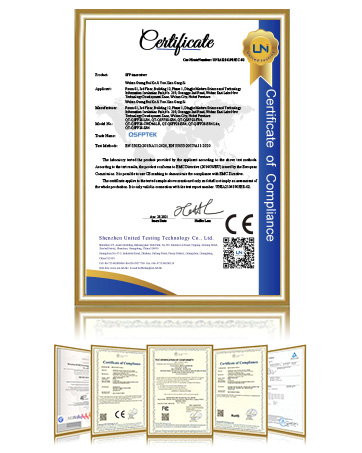
| ASIN | B07QXP6YW5 |
| Best Sellers Rank | #24 in Computer Networking Transceivers |
| Brand | QSFPTEK |
| Color | for Cisco |
| Customer Reviews | 4.3 4.3 out of 5 stars (240) |
| Date First Available | January 3, 2020 |
| Item Dimensions LxWxH | 3.94 x 1.77 x 0.71 inches |
| Item Weight | 1.27 ounces |
| Item model number | Q-SFP+-LR-Cisco |
| Manufacturer | QSFPTEK |
| Product Dimensions | 3.94 x 1.77 x 0.71 inches |
| Rear Webcam Resolution | 1 Lines Per Inch |
| Voltage | 3.6 Volts |
B**S
Reliable 10GbE Copper Transceiver, Runs Warm
This SFP+ to RJ45 module worked flawlessly with my network setup, providing stable and consistent 10GbE connectivity. The build quality is solid, and installation was plug-and-play with no compatibility issues across my switch. Latency is low, and I haven't noticed any drops in throughput even during heavy file transfers. Like most copper-based SFP+ transceivers, it does run warm, but that’s expected for 10Gb over copper. Adding some airflow in the switch enclosure helps mitigate the heat buildup. If you need a cost-effective way to upgrade to 10Gb networking, this is a solid and reliable option.
S**3
Recognized by Mikrotik
Works with my Mikrotik CRS309-1G-8S+in at 10G full duplex auto. So plug and play. Does get hot 63c normal operating. Stats seem accurate inside of SwitchOs and fun to have. For the price, I'm pretty happy.
J**H
Works on my UDM pro
work as advertised on my UDM Pro
J**I
Works great with 2.5Gbe. However, must have egress rate limiting ability on SFP+ port.
TL;DR: If your switch port supports egress limits of 2.5Gbps or 5Gbps. You should have good luck with your 2.5/5g ethernet ports. Otherwise, measure with iperf and pay attention to iperf traffic direction before you celebrate. I have a Gigabyte Aorus AM4 ITX board with a RealTek 2.5G port. When connected to my Ubiquiti XG-16 switch however, the ethernet ports negotiate at 1Gbps only. This transceiver popped up in my search as something that will enable the full 2.5Gbe. Plugged it in and everything seemed to work great. Switch sees it as a 10Gbe SFP link while windows sees it as a 2.5Gbe link. Large file transfers looked good too. Between 80-130MB/s. Not great but ok. Running iperf3 however, revealed a big issue with my setup. My NAS (ReadyNas 626X with 10Gbe ethernet) on the same switch ran iperf3 in server mode (iperf3 -s) while the PC ran it in client mode (iperf3 -c): this reported a solid 2.37Gbit/s. Great right! However, large file transfer in use felt worse that with my 1Gbe link. The NAS has a xeon processor and can easily handle the needed 10Gbit speeds for iperf3 (I have a 5950x on the PC which is a beast): tested with a different 10Gbe machine on my network. Investigating further it turns out that I misunderstood. iperf server does not actually serve!! The iperf client pushes data to the server. I need to run the client (PC) with '-R' flag to have the client consume data (switch pushing data into the transeiver). So traffic from PC -> Transciever -> XG16 -> NAS went though at full speed 2.37Gbit/s Traffic from NAS -> XG16 -> Transciever -> PC was a miserable 200-600Mbit/s with tons of retries. If I remove the transceiver and switch to the automatic 1Gbit downgrade (with egress limiting), iperf3 gives me 970MBit/s with 0 retries. Way better than with this transceiver. The general diagnosis at this point seems to be that the switch is pushing packets too fast for the port to handle and dropping a lot of packets slowing everything down. Solution seems to be to turn on egress rate limiting on the port. Basically, tell the switch that even though the SFP+ port negotiates at 10Gbits, limit outgoing traffic to 2.5Gbit/s. However, Ubiquiti in their wisdom do not allow egress rate limiting to more than 1Gbit/s: on a 10Gbit switch! Why!! Gah! So yeah: make sure that your switch can handle egress limits at whatever reduced speed you want to run your 10G connection at. Better still, pick up a Mellanox ConnectX-3 if you have the PCI slot for it.
G**S
Great SFP+ Module
This SFP+ module works great, however, it does run hot. Do not plug these modules in next to each other.
L**O
Delivery
Prompt delivery and product as described
B**B
Ingress (Ethernet -> SFP+ device) communication is not stable under load.
Ingress (Ethernet -> SFP+ device) communication is not stable under load. Egress (SFP+ device -> Ethernet) works well, Ingress (Ethernet -> SFP+ device) works ok, but start crashing under load. Changed the Cable (got a Cat 8): no improvement. Changed the SFP+ slot in the switch: no improvement. Bought a new SFP+ from a other vendor. --> Works. Returned the module. It is sad really, because it took me a while to figure out, and it is a key element to my network (hence 10G), so I the impact was relatively large (for me). I am not looking for cheap, I am looking for value and quality first. Then price Figuring out what is and isn't good is increasingly difficult.
S**R
Compatible with NicGiga
Works great with a nicgiga S25-0802P and intel x540-t2 card
A**G
Works with my UBNT Switch
H**I
Works great
A**R
Works great! Multi-rate cable support: 10G/5G/2.5G/1G/100M/10M. The SFP+ side supports 10G/1G only. Supports auto-negotiation ONLY on the cable side! Supports pause frames on both sides. Beware that the exposed case temperature reaches 45°C to 55°C and can burn skin in a few seconds ... but it still runs cooler than some competitors! Recommend only use one module for every 2 SFP+ slots because of heat produced and power demand. Using DAC/AOC/fiber cables are always a better idea than 10G over copper cables!
J**M
Funciona excelente en un TP-Link que hace conexion con un Synology a 10Gb
A**R
Excellent
Trustpilot
Hace 2 semanas
Hace 2 meses