🚀 Boost Your WiFi, Boost Your Life!
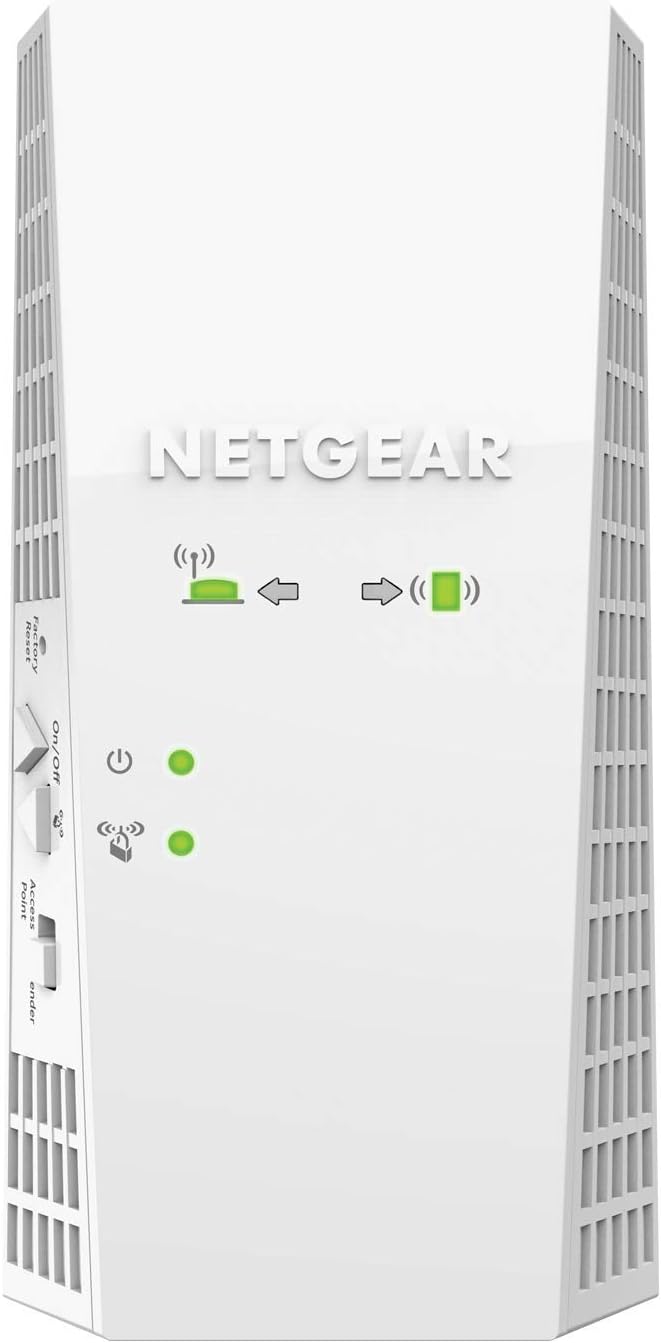
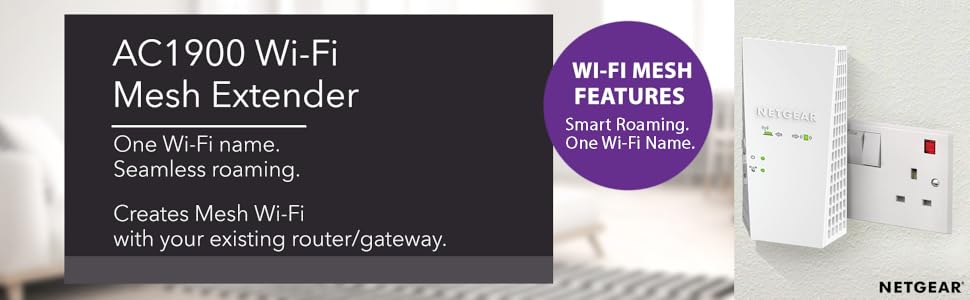
The NETGEAR EX6410-100UKS AC1900 Mesh WiFi Extender delivers up to 2100 sq ft of extended wireless coverage and supports 35 devices simultaneously. Featuring dual-band AC1900 speeds up to 1900 Mbps with patented FastLane™ technology, it ensures smooth HD streaming and gaming. Its seamless smart roaming uses your existing network SSID to prevent disconnections, while a Gigabit Ethernet port offers wired connectivity for high-speed devices. Compatible with any router or modem, this easy-to-install extender is perfect for enhancing home or office WiFi performance.


| ASIN | B07NY41HW1 |
| Are Batteries Included | No |
| Best Sellers Rank | 9,784 in Computers & Accessories ( See Top 100 in Computers & Accessories ) 76 in Network Repeaters |
| Brand | NETGEAR |
| Customer Reviews | 4.1 4.1 out of 5 stars (2,812) |
| Date First Available | 21 Feb. 2019 |
| Guaranteed software updates until | unknown |
| Item Weight | 410 g |
| Item model number | EX6410-100UKS |
| Manufacturer | NETGEAR |
| Package Dimensions | 17.8 x 13 x 10.6 cm; 410 g |
| Voltage | 12 Volts |
| Wireless Type | 802.11ac |
L**D
WiFi extender
Easy set up, placed in an outbuilding to extend WiFi range and works perfectly with our netgear router
U**R
Netgear full mesh network
The Nighthawk X4S extender is expensive for a Wi-Fi repeater, but it delivers excellent performance. Those distinctions are both down to its tri-band design, which uses not one but two 5GHz radios, along with a 2.4GHz one for older devices. That translates to a big bandwidth boost over the majority of cheaper extenders, which make do with a single 5GHz radio. Physically, the Nighthawk X4S is a chunky unit and it only supports Wi-Fi 5, rather than super-fast Wi-Fi 6. It has little in the way of advanced features, either. For what it is, though, the Netgear Nighthawk X4S is a terrific piece of kit. It delivers excellent Wi-Fi performance while being cheaper and easier to install than a full-blown mesh system.
B**E
As good as I hoped it to be
I've waited a month to give this a review as I wanted to see the performance over a decent amount of time. Context I live in a two storey flat and the router is located downstairs in the living room. The living room is on the bottom floor on one side of the flat and there are two rooms upstairs but on the other side of the flat. Therefore as the signal currently is needed to both go upstairs and to the opposite side of the flat, it really struggles. In fact it struggles so badly that it turns my 200mbs speed downstairs into just 8mbps upstairs. Setup Therefore after reading dozens of reviews on the mesh version, I decided to try it out. The setup seemed easy at first but it didn't work using the wps button. So I had to redo it using my laptop. Overall took about 10mins. My router is dual bandwidth (2.4ghz and 5ghz). Performance In a 4 bedroom flat with several people using the internet simultaneously, this holds up admirably. I've only ever seen a red light once. It's mostly all blue lights with the occasional orange but it works mostly perfectly regardless. The signal can get dodgy but that's only really happened once and it quickly sorted itself out. Streaming Netflix or YouTube in 4k is a breeze. Gaming online is easy. Download speeds are maintained at an average of 170mbps upstairs which is amazing. We've got a Sky Q UHD multiscreen system, 3 smart TVs, a PS4, a PS3, an Xbox, a couple tablets and several smartphones all hooked up to this router and it really copes so well. I've ensured that there is a good balance between which device uses the 2.4ghz channel and the 5ghz channel. Perhaps that is the key to keeping everything running smoothly. I haven't needed to use the tech support but I'm glad about that as I'm told they're not very helpful. All in all I'd recommend this product and if anything changes with the performance I'll be sure to update this review.
A**R
Flawless with my Airport Extreme
I LOVE this little guy. Best extender ever. I useed it to extend the wifi signal from my Apple Airport Extreme, and it worked perfectly, extending both my 5Ghz and 2.4Ghz networks, using the same name, so no need to disconnect and connect to other network everytime i move between rooms. All my devices (macbook pro, iphone, ipad..) switch between the Airport Extreme and the Nighthawk seemlesly, maintaining my full wifi speed in double the distance. Installation is very easy (pairing with the Extreme through WPS was a breeze), and so all you have to do is find a good in between spot to plug the Nighthawk in so your signal can be boosted to reach the ends of the house that had poor signal. Other extenders are a nightmare to setup and when you finally do figure it out, you end up with two wifi network names that you have to manually swith between most of the times, is a hussle. With the Nighthawk you get a premium experience. Absolutely love it.
B**4
Looking at Linksys Velops.
Delivered 23 March. Installed successfully, after 2 false starts, and worked beautifully until two days ago using WPS. Suddenly connection between (new) Virgin Hub 3 and extender went from blue to red (connection). Despite endless retries, reboots of Hub, reset of extender, cannot get the communication between Hub & extender to hold. Even when within the same room the signal falls off. Have tried manual install and this takes me straight to the login page which requires a user name & password. As I did not use manual install I DO NOT HAVE a username & password. Afraid I am with the “this is crap” brigade. Was on the point of sending it back & the decided to persist. One final reset of extender; left 24hrs & then (ignoring manual) proceeded on the let’s see what happens set up. Success. Access & control of hub via net; access & control of extender via net. Extender located where strong signal from hub & excellent coverage removing black spots. WiFi scanner monitoring both 2.4 & 5g channels. Can see local channel usage, RSSI measure, & mbps measure. For 4 months everything went well. Then found that connection dropped-off, crashed etc. Virgin V6 box wouldn’t connect via extender. Virgin engineer spent time with me & replicated my steps. We finally agreed that best to connect it direct to V6 box- so turned off extender, connected V6 & smart TV; despite distance & “weak” signal, high RSSI measure, stable & no buffering. Persisted with extender to eliminate black spots, but finding that all WiFi connected devices struggle with both finding & maintaining connection. Now have to re-boot extender each morning; when any of the items has to reconnect (phone on returning home), & sometimes also in evening. Maintained Channel selection on manual. Ensure that nearby routers etc not using these channels; interesting exercise, I’ve learnt so much about setting-up & managing WiFi network!
S**O
Buoni materiali, è robusto e funziona in modo coerente con quanto descritto nella confezione e sul sito internet. Non ho ancora avuto problemi di disconnessione
M**I
Always been a netgear fan, however their extenders are lacking. At least this one has mediocre coverage and features to what it advertises. I have tried number of locations to get the best of the product with no avail. Also had to reset the extender twice then update its firmware, finally it was working. The installation page or app are also lacking, there's also no ethernet port. The price is high to what it offers. Currently using it to cover a small area with poor coverage, however the performance is not that great. Had some issues getting this product delivered, so I am hesitating returning it. Sadly I am giving it a 3. I would not recommend this product.
S**Z
Worth every penny. Now if only it's blue LED is not so blinding, it would be perfect.
Trustpilot
Hace 2 meses
Hace 2 semanas